
A visible signature can look official and still leave a PDF wide open to tampering. That's the trap many users fall into: they treat a pasted image, a typed name, or a drawn flourish as if it were the same thing as a PDF digital signature. It isn't. A real digital signature is about cryptographic trust, not visual decoration.
When people ask what is a pdf digital signature, the honest answer is that it's a technical proof embedded in the file. The appearance may help humans recognize approval, but the software checks something deeper, whether the content stayed intact and whether the signer can be tied to a trusted digital identity. That distinction matters for contracts, internal approvals, filings, and any document where later disputes are possible.
Table of Contents
- The Illusion of the Visible Signature
- How Cryptographic Hashing Secures Documents
- Electronic Signatures Versus Digital Signatures
- Legal Validity and Long Term Validation
- Verifying a Signed PDF in Practice
- Choosing the Right Signing Workflow
The Illusion of the Visible Signature
A signature image can make a document look complete, but it doesn't make the document secure. A scanned autograph, a typed name, or a hand-drawn mark is only a visible layer. If someone edits the PDF afterward, that cosmetic layer can still sit there looking perfectly normal.
Appearance and proof are different things
A true PDF digital signature binds the document to a certificate and a cryptographic digest. The digest is the document's fingerprint, and the signature proves who approved that exact version. If a single covered character changes later, the verification fails because the fingerprint no longer matches.
Practical rule: if the file only “looks signed,” treat it as a presentation layer, not a security control.
That's why a document can seem fine at first glance and still fail real verification later. The visible mark survives, but the trust evidence behind it may not. In daily work, that's the gap that trips up freelancers sending invoices, HR teams storing onboarding files, and legal staff reviewing submissions.
A useful mental model is a sealed envelope. The handwritten name on the front tells you who the envelope appears to be from. The wax seal tells you whether the contents were opened or altered after sealing. In a PDF, the visible signature is the name on the front, while the cryptographic signature is the seal.
How Cryptographic Hashing Secures Documents
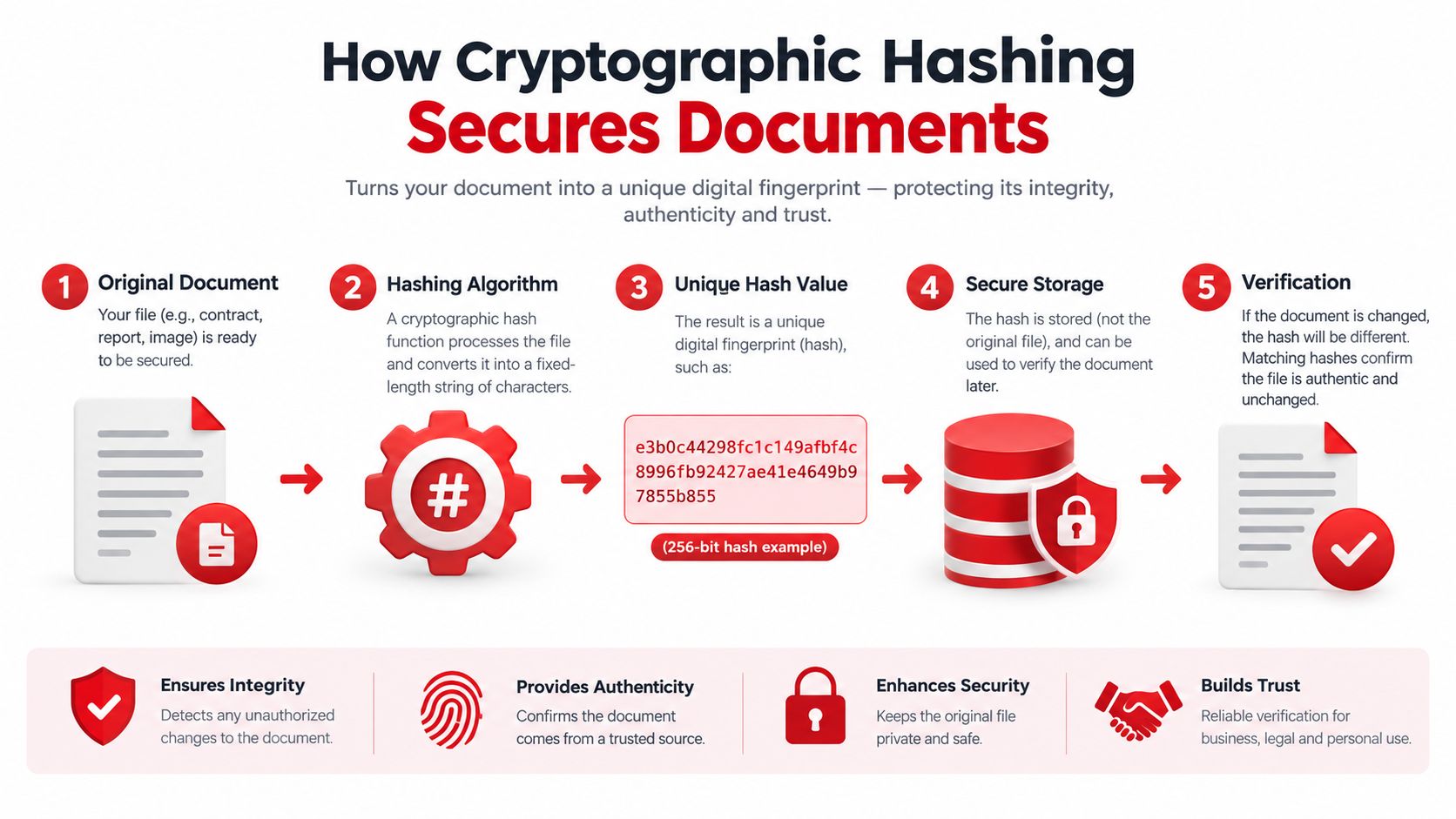
The core trick is simple to describe and powerful in practice. Signing software reads the relevant byte ranges of the PDF, calculates a cryptographic hash, then signs that hash with the signer's private key. The recipient later checks the same bytes again, which is why even a tiny edit can break the validation.
The document fingerprint idea
Think of hashing as pressing a document into a mold. The mold captures the exact shape of the file's signed content, and the result changes if the content changes. A comma added to a clause, a number revised in a table, or a paragraph moved can produce a different fingerprint.
The verification process uses the signer's public key to check that the signature matches the hash. That public and private key pairing sits inside established cryptographic standards, including RSA, ECDSA, and DSA as recognized by NIST's Digital Signature Standard, with the standard updated through FIPS 186-5 in February 2023 NIST Digital Signature Standard. Those algorithm names matter less than the idea behind them, the signer controls one key, everyone else uses the paired key to verify.
A valid signature isn't a picture, it's a mathematical claim about a specific version of the file.
That's also why PDF validation can feel unforgiving. If a form field changes, if a paragraph is edited, or if the file is repackaged in the wrong way, the math no longer lines up. For a quick integrity check workflow, teams often pair signed-file review with a corruption check such as this guide for checking corrupted files, because unreadable or damaged documents create the same kind of trust problem at a practical level.
Electronic Signatures Versus Digital Signatures
The terms get mixed together all the time, and that creates bad decisions. Electronic signatures are a broad category. They can be a typed name, a clicked consent button, a drawn mark, or an uploaded image. Digital signatures are a narrower category built on cryptography and certificates.
Side by side
| Feature | Electronic Signature | Digital Signature |
|---|---|---|
| What it is | An electronic sign-off that shows intent or approval | A cryptographic signature tied to a certificate-based identity |
| How it appears | Can be typed, drawn, uploaded, or clicked | Often has a visible appearance too, but the trust comes from the cryptographic layer |
| Tamper evidence | May be limited, depending on the workflow | Designed to reveal changes to the signed content |
| Identity assurance | Varies by process | Based on a certificate and key control |
| Best fit | Routine approvals, low-risk acknowledgments | Contracts, regulated records, high-trust workflows |
In simple terms, an electronic signature answers, “Did someone say yes?” A digital signature answers, “Can we prove who approved this exact file, and can we tell if it changed afterward?” That's a much stricter question.
Choosing the right level of trust
A lot of confusion comes from assuming every signed PDF has the same legal or technical weight. It doesn't. If the document is just an internal acknowledgment, a basic e-signature might be enough. If the file may become evidence later, the stronger cryptographic route is the safer one.
For a plain-language overview of the distinction, the internal guide at electronic signature vs digital signature is a useful companion. For a broader security context around certificates and trust, it also helps to look at how organizations think about TLS and identity, which is why Bridge Global's SSL certificate overview is relevant background reading, even though web security and document signing solve different problems.
A basic rule holds across workflows. If the document needs evidence, not just acknowledgement, a digital signature is the better fit.
Legal Validity and Long Term Validation
Legal weight depends on the jurisdiction and the transaction, not just on whether a PDF has a signature mark. In the EU, electronic signatures can't be rejected solely because they're electronic or non-qualified, while a qualified electronic signature has the explicit legal effect of a handwritten signature across Member States EU eSignature FAQ. That's a critical difference for contracts, filings, and records that must meet a specific legal form.
Evidence matters as much as intent
A signature is only part of the proof. A verifier may also need to know who controlled the signing credential, whether the certificate was valid at the signing time, whether it was revoked, and whether the document changed afterward. A signed PDF can be admissible as evidence without automatically satisfying every statutory requirement.
Standards-based PDF signing gets more serious here. PDF signatures were formalized in ISO 32000-1:2008, and the later ISO 32000-2 generation appeared in 2017, with a second edition in December 2020. ETSI's PAdES profile builds on those PDF signatures and adds structure for interoperable, long-term validation, including embedded certificates, revocation information, and timestamps so later validators can assess trust even when today's crypto environment has changed ETSI PAdES.
Long-term trust depends on preserved evidence, not just on the signature badge you see today.
That's the practical lesson for legal and financial records. A document can be signed correctly and still become hard to validate later if the needed evidence wasn't embedded at the start. For a more detailed legal framing, see the internal guide on electronic signatures and legal use.
Verifying a Signed PDF in Practice
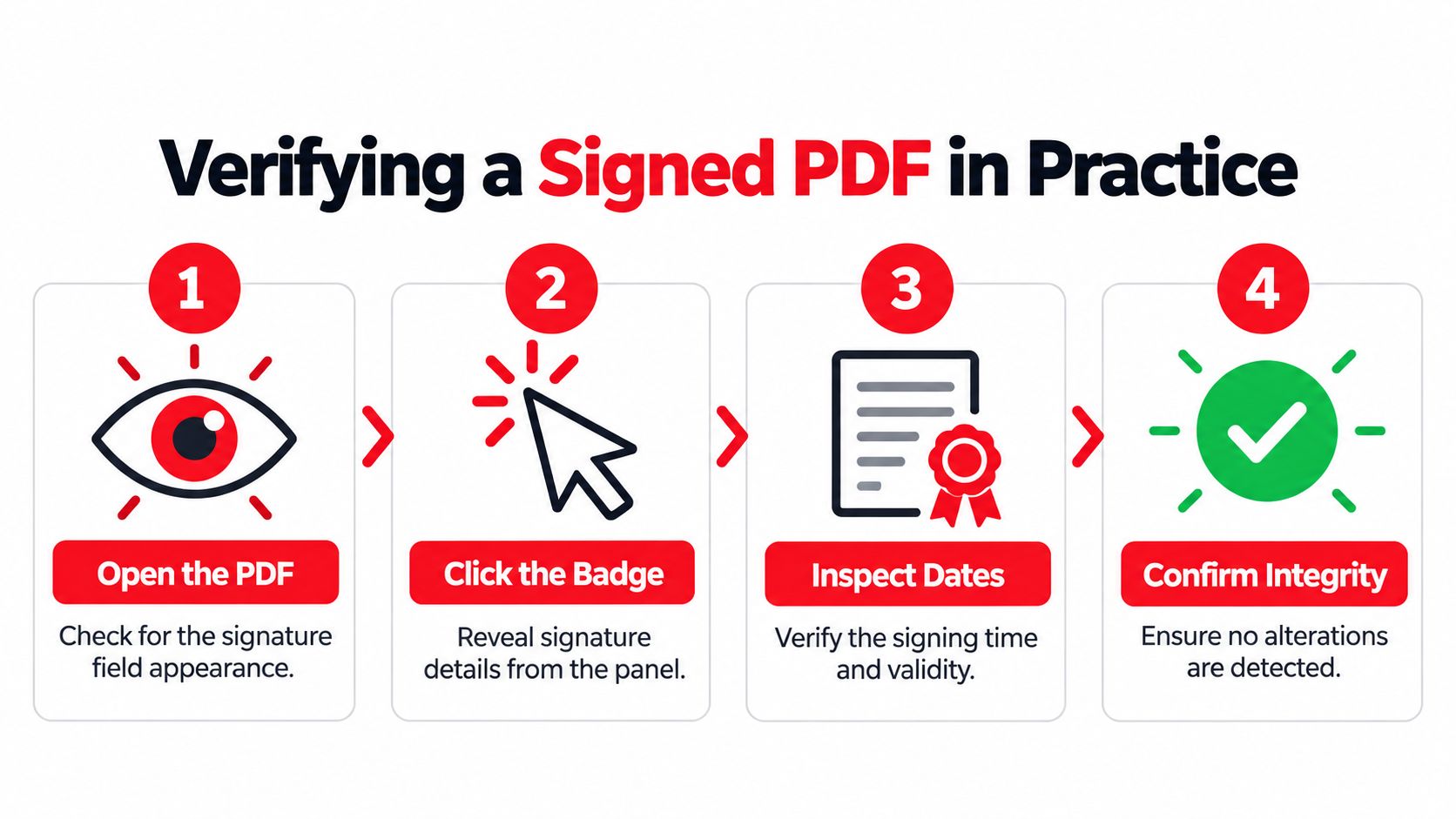
The first check is visual, but it shouldn't be the last. Open the PDF, then click the signature badge or panel to inspect the details behind it. A good workflow is to confirm the signer identity, the certificate chain, the signing time, and whether the file has been altered since signing.
What to inspect first
Start with the obvious badge, then move into the certificate details. If the badge says the signature is valid, that only tells you the math worked out. You still need to ask whether the certificate is trusted, whether the signer had authority, and whether the document includes the evidence needed for later review.
Here's the short checklist I give teams:
- Open the PDF carefully. Look for the signature field and any validation badge before you rely on the file.
- Inspect the signer details. Confirm the name, certificate issuer, and identity information shown in the signature panel.
- Check dates and status. Review the signing time, certificate validity, and any revocation or expiration warnings.
- Confirm integrity. Make sure the viewer reports no post-signing alterations to the covered content.
If the software says the signature is mathematically valid but the certificate is expired, untrusted, or revoked, don't treat that as a clean pass. That's a review flag, not a green light. The internal walkthrough at how to add a digital signature to a PDF can help readers understand the signing side of the same workflow.
Why the green checkmark can mislead
Different viewers can surface different levels of warning, and that's where confusion starts. One app may show a simple validation badge while another asks for deeper trust decisions. The file didn't change, but the policy environment around the file did.
A professional review doesn't stop at the icon. It checks the evidence underneath it.
Choosing the Right Signing Workflow
The right workflow depends on document risk. Routine approvals, low-stakes acknowledgments, and everyday sign-offs can often use a simple browser-based electronic signature. Contracts, legal evidence, regulated records, and cross-border documents need stronger identity assurance, better certificate handling, and long-term validation evidence.
Match the tool to the risk
For everyday work, convenience matters. A signer wants a fast process, a reader wants a clear mark of approval, and the file needs to be easy to send back. For higher-risk files, the priority shifts to proof, traceability, and the ability to validate the signature later even if the original certificate or service changes.
A practical policy is to separate “approval” from “evidence.” If the file just records consent, a basic e-signature can fit. If the file may be disputed, archived for years, or reviewed across jurisdictions, use a workflow that preserves certificates, revocation data, and timestamps from the start.
For teams that want browser-based signing without unnecessary upload friction, signing a PDF document in-browser is one workflow to evaluate. PDFWix also offers a browser-based Sign PDF tool for adding a simple electronic signature by drawing, typing in a handwriting-style font, or uploading a handwritten image, which suits lighter approval workflows where certificate-backed PKI isn't required.
The safest workflow is the one that matches the document's real risk, not the one that just feels easiest in the moment.
That's the decision rule I'd give to lawyers, freelancers, HR staff, and students alike. Use the lightest method that still meets the evidence burden, and don't let a polished appearance substitute for cryptographic trust.
If you need to sign PDFs, verify them, or choose the right workflow for a specific document type, PDFWix gives you browser-based tools for signing and managing PDFs without forcing extra friction into the process. Visit PDFWix to explore the signing workflow that fits your document risk, then use the same toolkit to keep approvals, evidence, and file handling aligned.